Air Conditioning
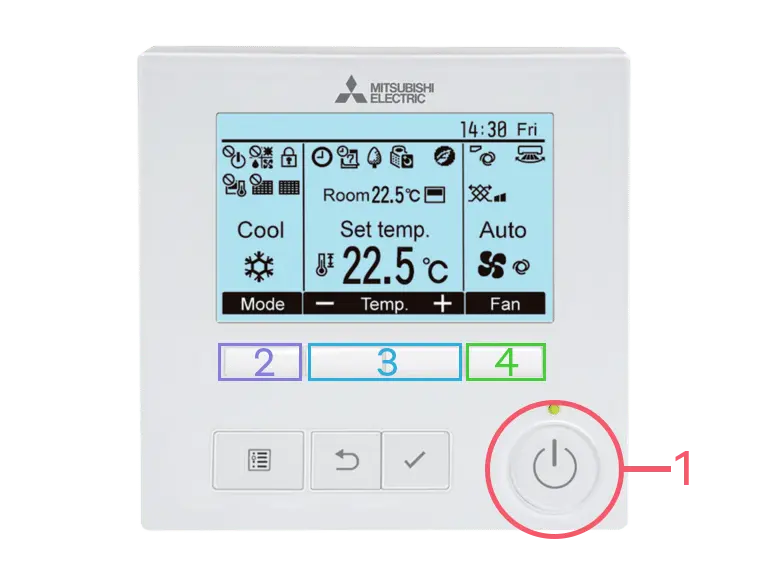
Wall controller
Comfort in a few simple steps.
The controller shows the current mode, room temperature, selected temperature, and fan setting on one screen.
Using the controller
-
01
Turn the system on
Press the large power button in the lower-right corner of the controller. Press it again when you want to turn the system off.
-
02
Choose a mode
Press Mode below the screen to switch between available settings. Choose Cool for cooling or Heat for heating.
-
03
Set the temperature
Use the minus and plus controls below Temp. on the screen to lower or raise the desired room temperature.
-
04
Adjust the fan
Press Fan below the screen to change the fan speed. Select Auto if you want the system to manage the airflow for you.
Good to know
Keep doors and windows closed while the air conditioning is running. Temperature changes may take a few minutes to become noticeable.